
Appearance
Connect Facebook
Connect a Facebook Page to Repliz so you can manage its comments and messages from your workspace.
Steps
Open the Account Integration menu in your Repliz dashboard.
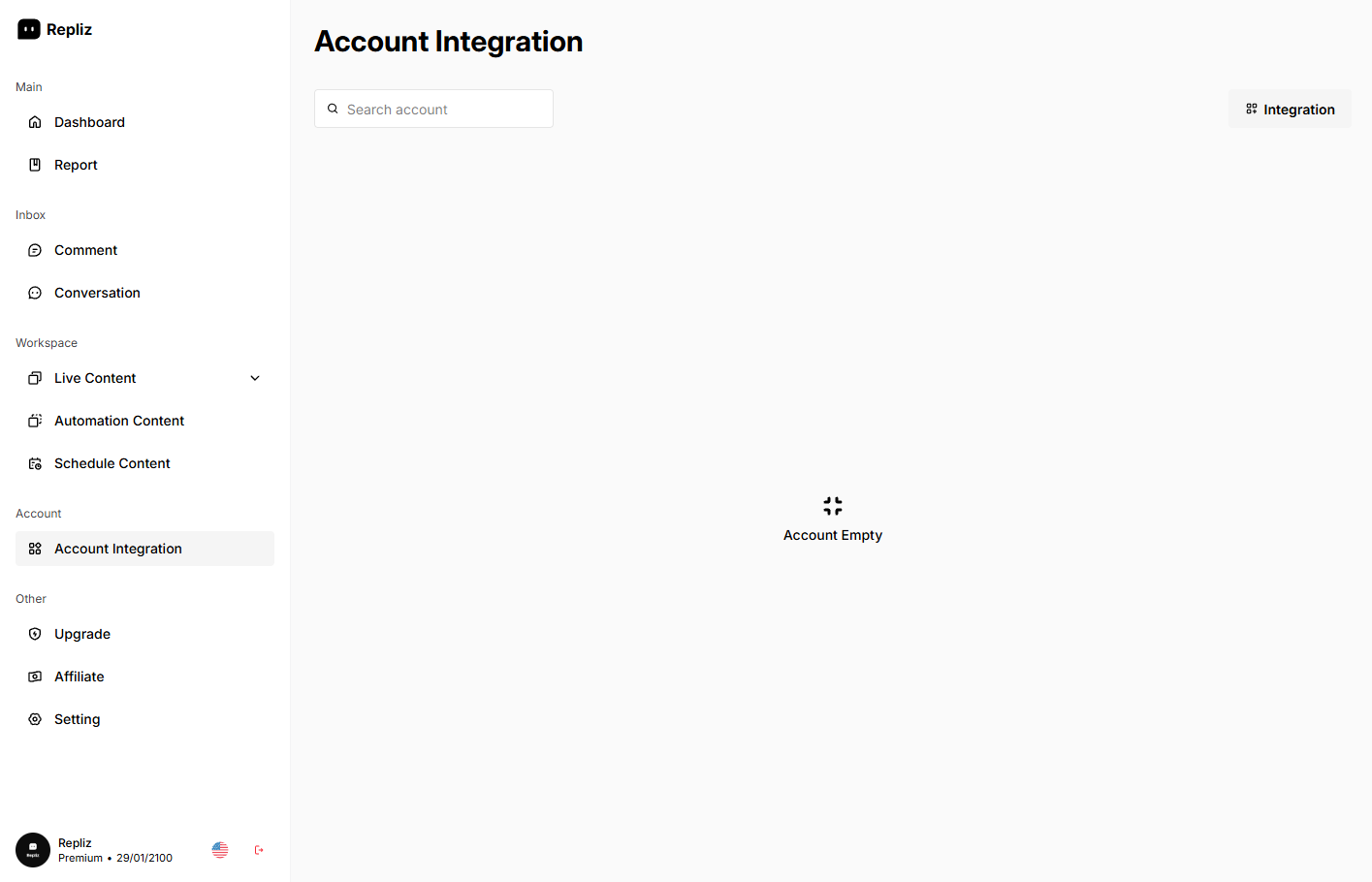
Click the Integration button.
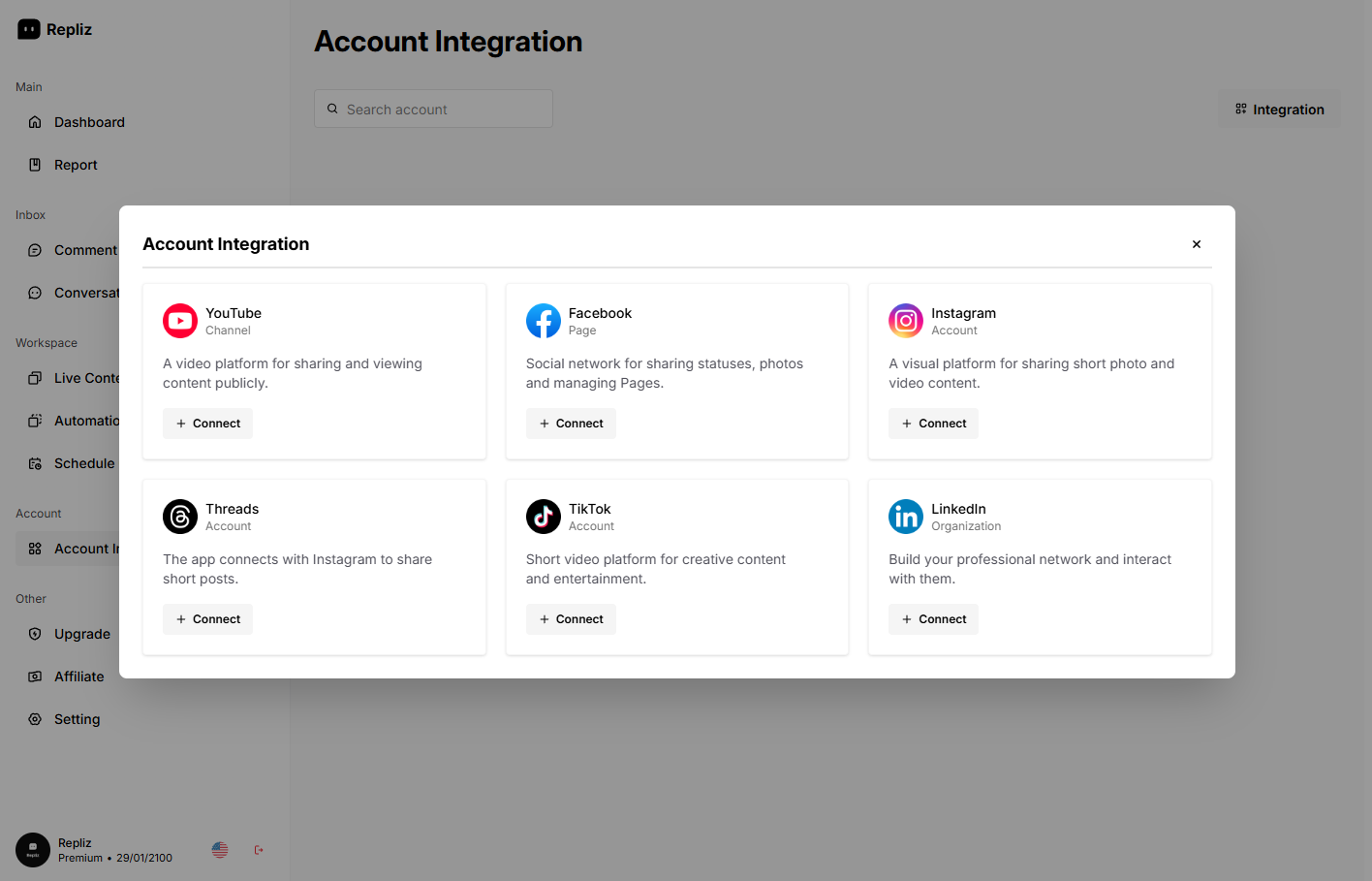
Find Facebook in the list and click Connect.
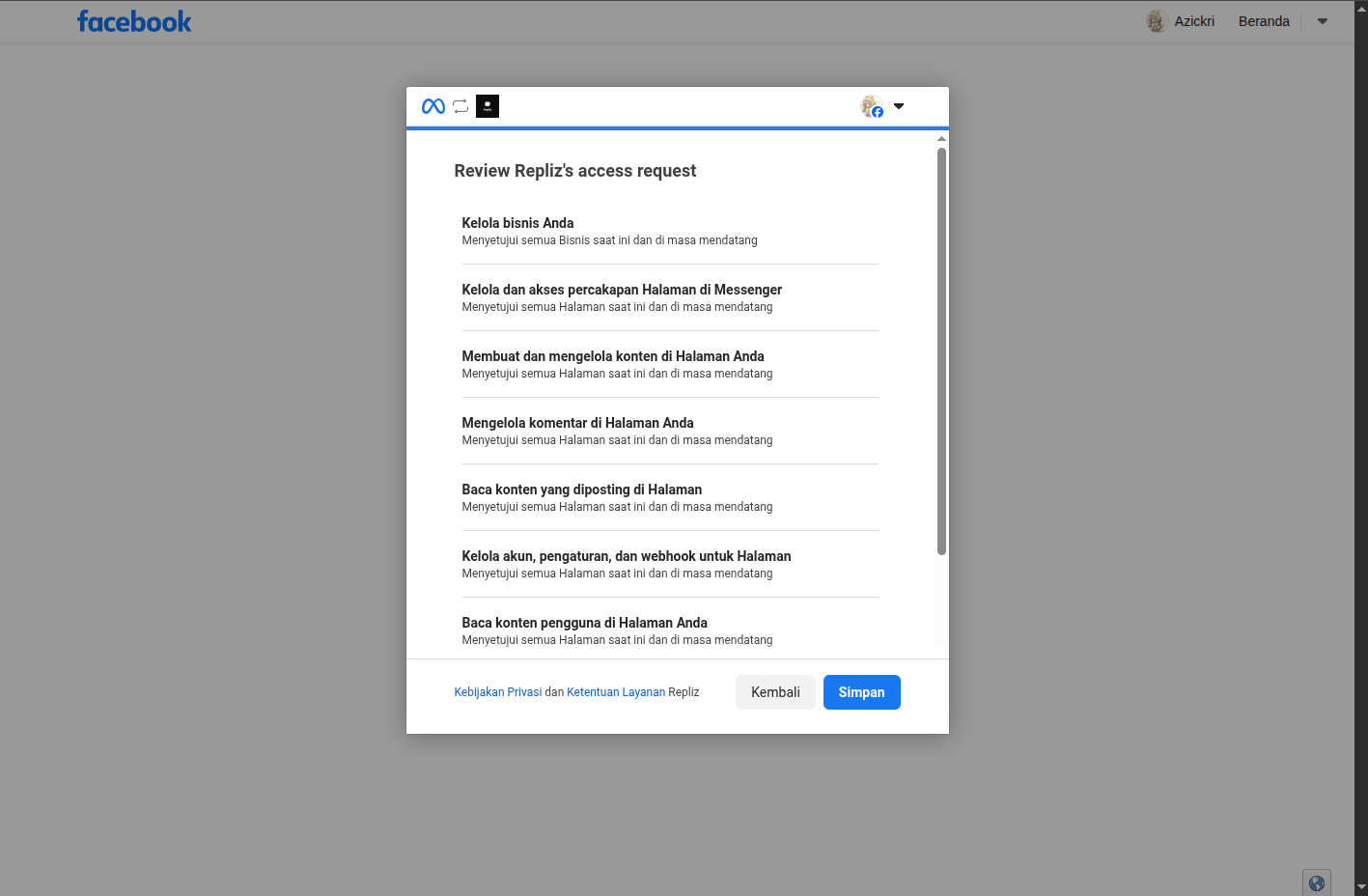
In the Facebook authentication window, approve all requested permissions so Repliz can manage your pages and comments.
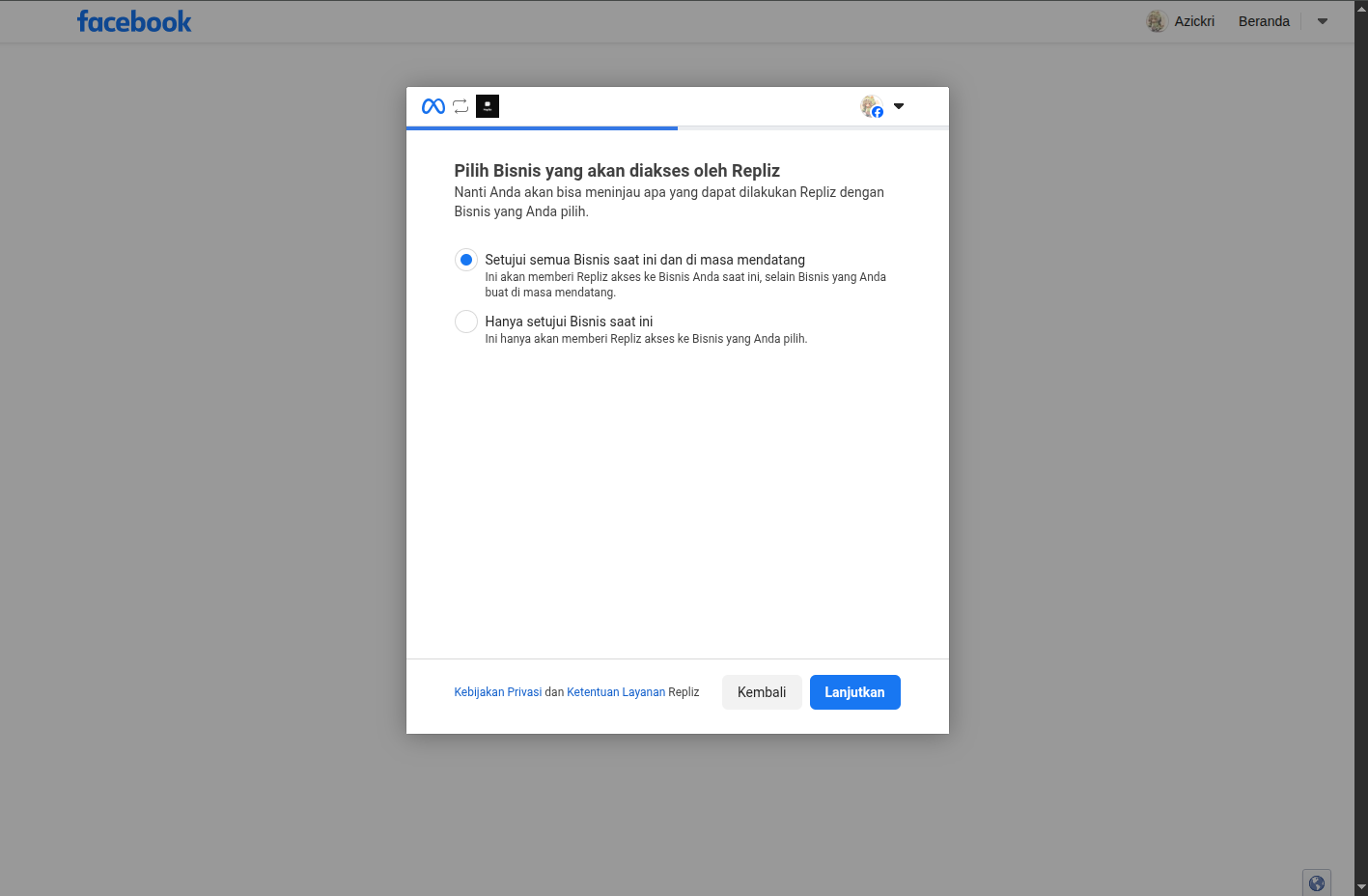
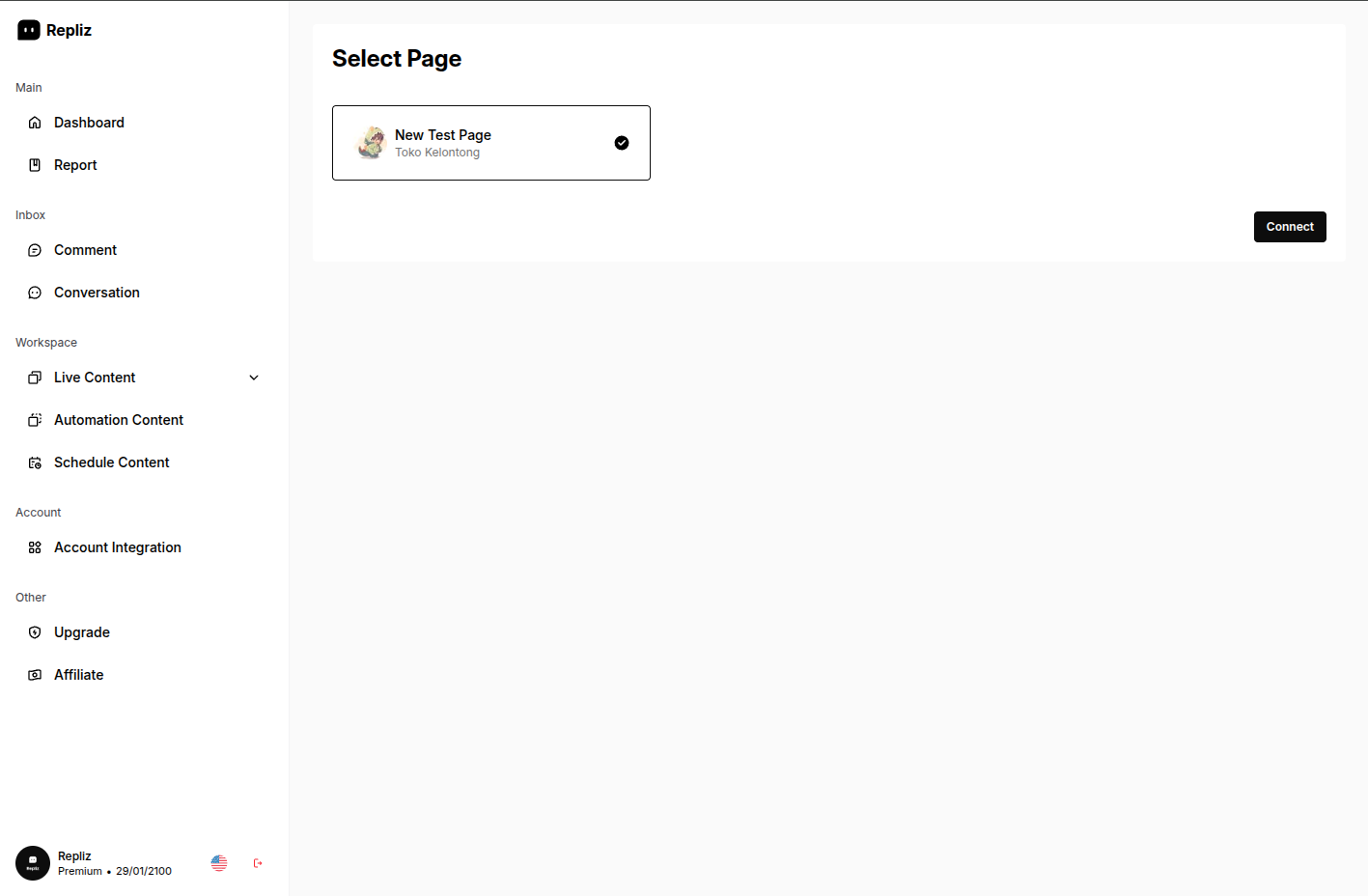
Select the specific Facebook Page you want to link.
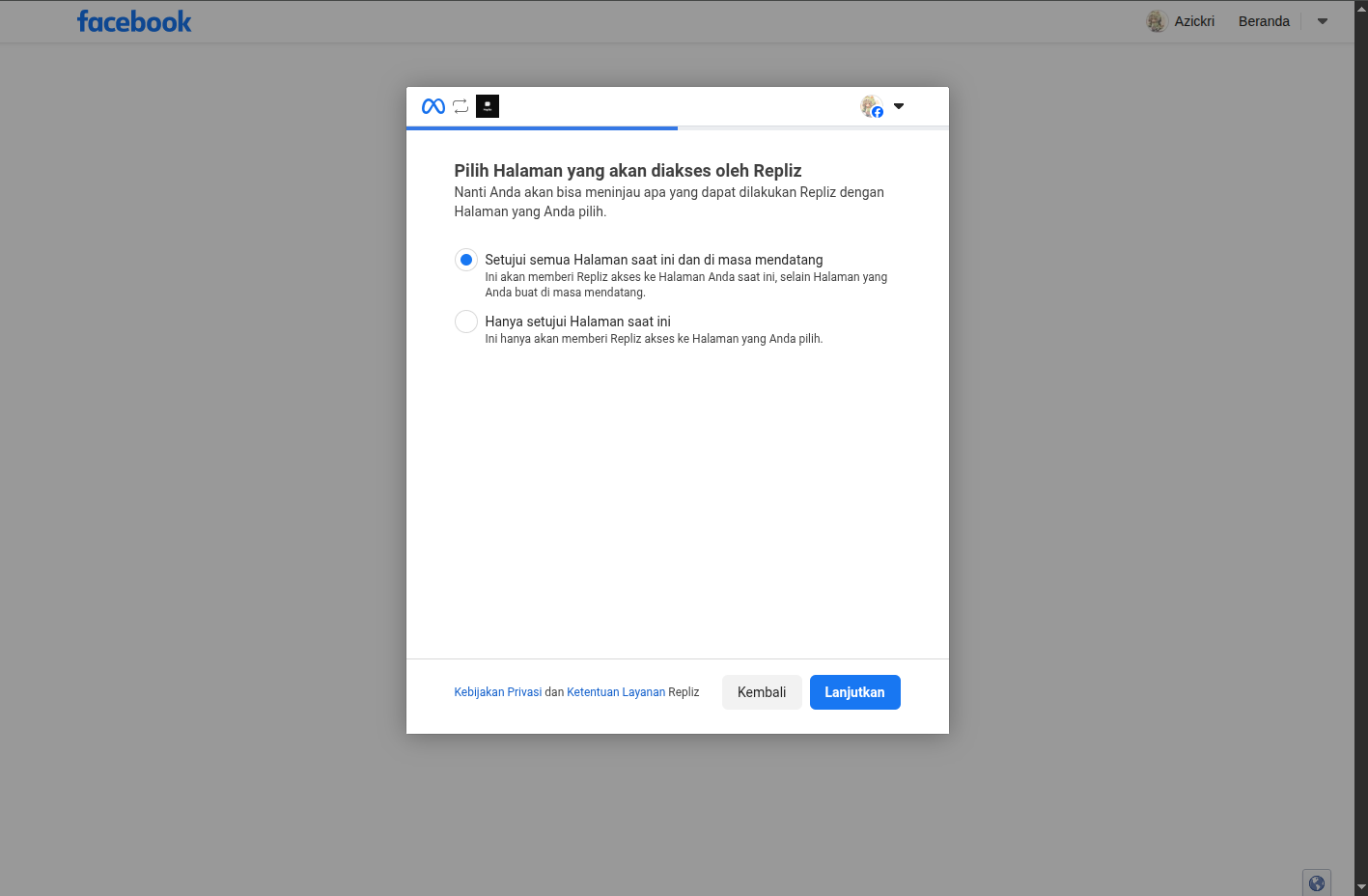
Click Connect to finish.
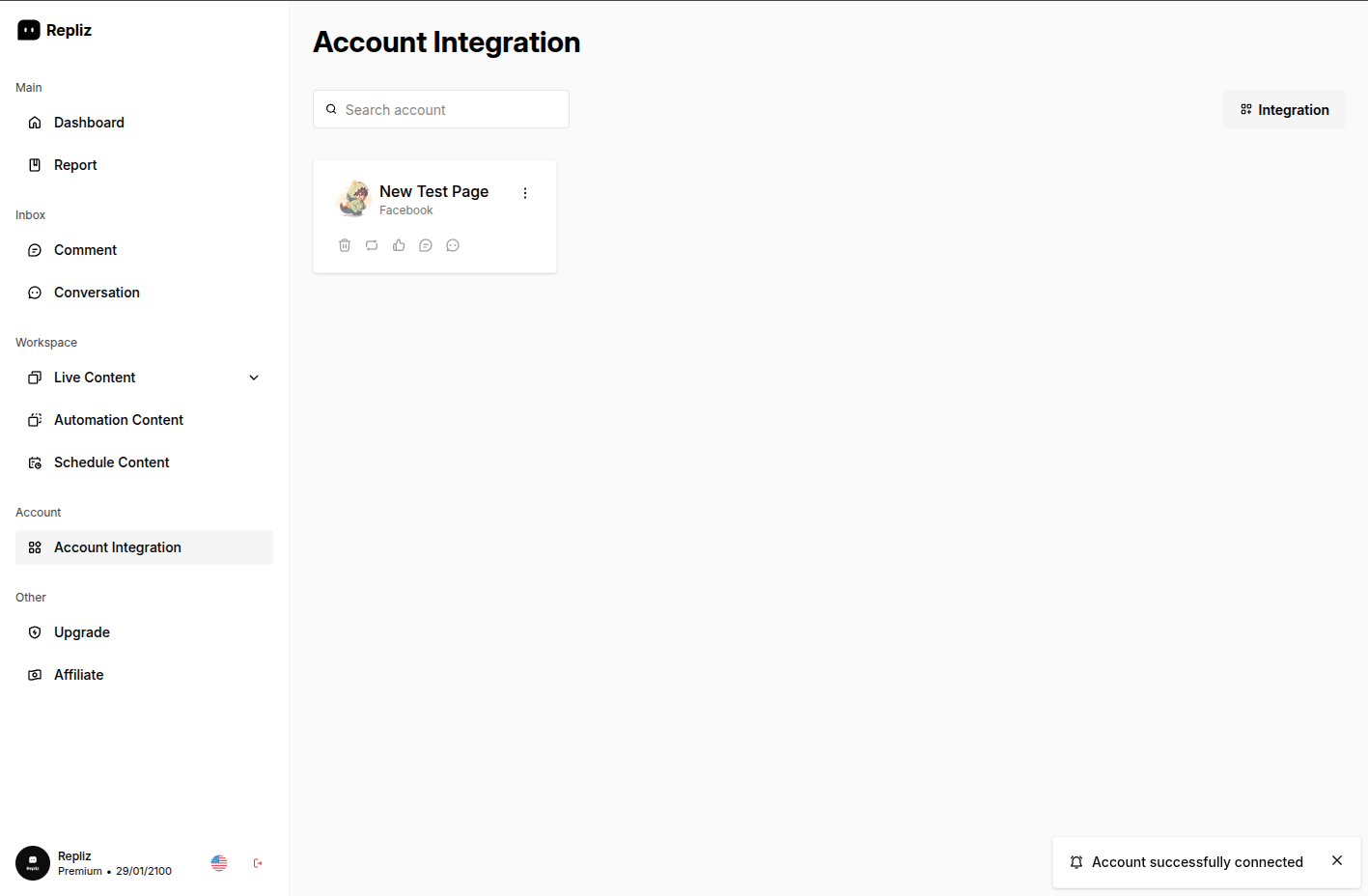
Once connected, your selected page appears in your integrated accounts list.
TIP
You can connect multiple Facebook Pages. Just repeat the steps for each page you want to manage.